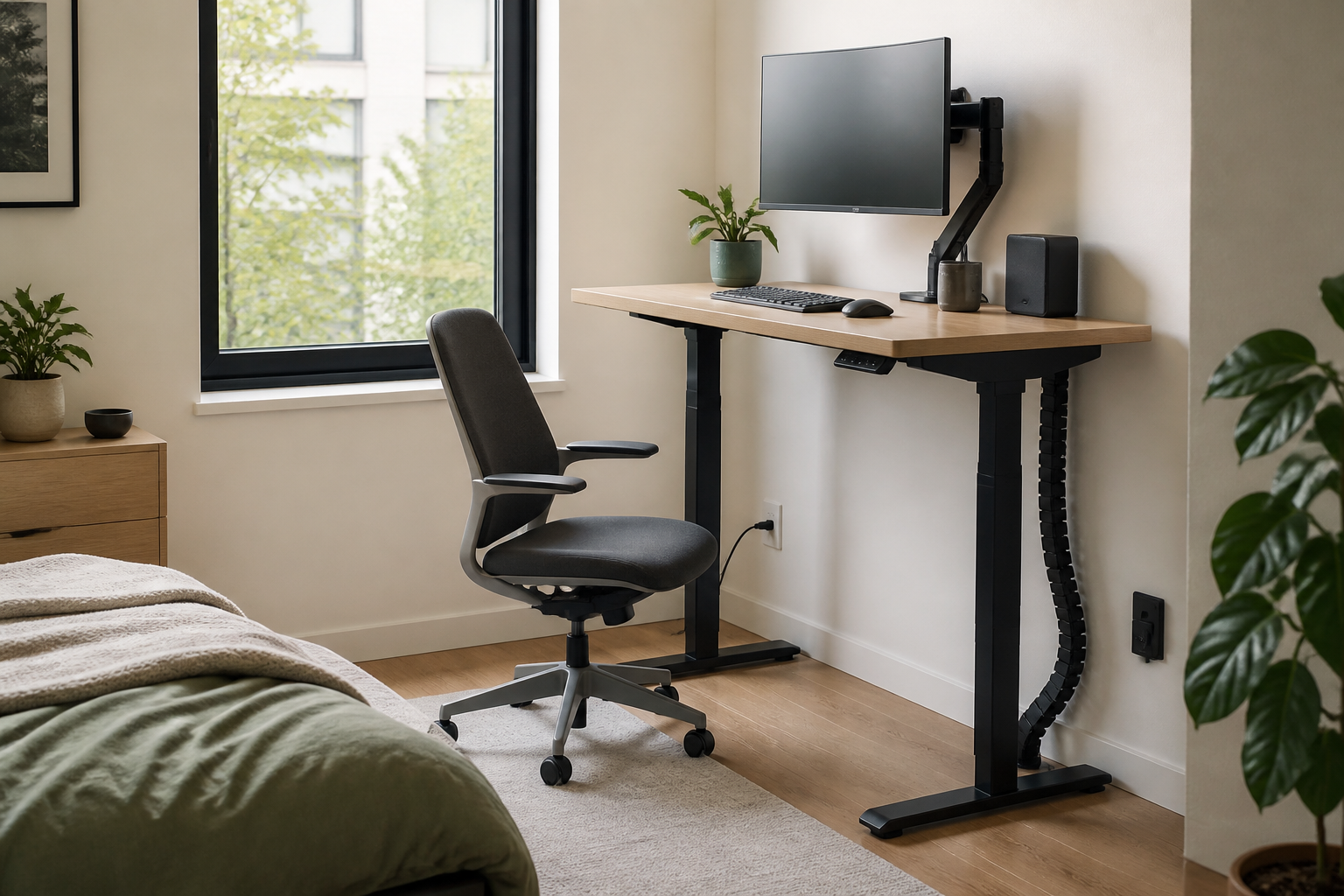
A standing desk can fit into a surprisingly small room, but the desktop must still hold your equipment without forcing your shoulders, wrists, or walkway into awkward positions. For most people, the smallest practical standing desk is about 36 inches wide and 24 inches deep for a single-monitor setup. A laptop-only workstation can sometimes work on a 28- to 32-inch-wide surface.
Quick answer: minimum standing desk dimensions
- Laptop only: 28–32 in. wide × 20–24 in. deep
- One monitor: 36–40 in. wide × 24 in. deep
- Monitor plus paperwork: 42–48 in. wide × 24–28 in. deep
- Two monitors: 48 in. wide or more, preferably with a monitor arm
These are practical starting points, not universal ergonomic rules. Your body measurements, equipment, desk frame, and room layout matter more than the advertised desktop size.
The smallest desk depends on what must fit
A desk that is technically large enough for a laptop may still be too small once you add a mouse, charger, notebook, lamp, or external keyboard. Start with the equipment you use every day rather than the empty desktop shown in a product photo.
| Work setup | Practical minimum width | Practical minimum depth | Main compromise |
|---|---|---|---|
| Laptop only | 28–32 in. | 20–24 in. | Little room for paper or accessories |
| Laptop with mouse | 32–36 in. | 22–24 in. | Mouse space may feel tight |
| Single monitor | 36–40 in. | 24 in. | A monitor arm may be needed |
| Monitor and documents | 42–48 in. | 24–28 in. | Requires a wider wall section |
| Two monitors | 48–55 in. | 24–30 in. | Harder to fit in a bedroom corner |
If you are comparing ready-made options, our guide to the best standing desks for small home offices focuses on compact footprints rather than oversized executive desktops.
How to measure the minimum width
Place your daily equipment on a table and arrange it as you would while working. Measure from the outermost item on the left to the outermost item on the right, then add at least 2 to 3 inches on each side so objects do not sit directly on the edge.
- Measure the width of your laptop or monitor base.
- Add the keyboard and mouse zone at their normal working positions.
- Include anything that must stay on the desk, such as a notebook or task lamp.
- Add side clearance for safe movement and cable access.
- Compare this total with the usable desktop width, not the product’s widest external dimension.
A clamp-mounted monitor arm can recover several inches of usable surface, but check whether the desktop edge and wall clearance can support the clamp before relying on it.
How deep should a compact standing desk be?
Depth controls the distance between your eyes and the screen. A 20-inch-deep desk can work for a laptop because the screen and keyboard are part of the same device. With a separate monitor, 24 inches is a more practical minimum for many compact setups. Larger screens or deep monitor stands may need 27 to 30 inches.
Do not assume a wall-mounted screen solves every depth problem. You still need a comfortable keyboard and mouse zone, and a sit-stand desk moves slightly during height changes. Leave cables enough slack to move without pulling.
Measure the frame, feet, and moving space
Desktop dimensions do not describe the entire footprint. Standing desk feet may extend beyond the desktop depth, and some frames widen toward the floor. Measure these three separate areas:
- Desktop footprint: the surface that must clear walls, shelves, and window trim.
- Base footprint: the floor space occupied by the legs and feet.
- Operating zone: the space needed for the desk to rise without hitting a windowsill, wall shelf, outlet, or hanging object.
In a bedroom office, also test whether drawers and closet doors can open at both sitting and standing heights. Our guide to creating a productive home office in a bedroom covers the wider room-planning decisions.
How much clearance should you leave around the desk?
For standing-only use, allow enough depth to stand naturally and step back without entering a doorway or blocking circulation. If you also use a chair, the chair often requires more room than the desk. A compact chair that tucks fully under the surface can make a small workstation far easier to live with.
Before buying a chair, compare its overall width, base diameter, arm height, and tucked depth. See our recommendations for compact desk chairs for small home offices.
Minimum height range: measure your elbows, not the room
The ideal standing height is the height that lets your shoulders stay relaxed while your forearms remain close to level at the keyboard. Because people vary, a desk’s adjustment range matters more than a single advertised standing height.
- Stand in the shoes you normally wear while working.
- Relax your shoulders and bend your elbows near 90 degrees.
- Measure from the floor to the underside of your forearm.
- Confirm that the desk can position the keyboard near this height.
- Repeat the measurement while seated if the desk will serve both positions.
If several people will share the desk, check the lowest and highest required positions for every user. A compact desktop does not compensate for an adjustment range that does not fit the person using it.
When a tiny standing desk becomes too small
A smaller desk is not automatically a better small-space desk. The setup has gone too far when you regularly stack objects, place the mouse at an angle, push the monitor uncomfortably close, or move work supplies to the bed or floor. These workarounds create visual clutter and make the room harder to reset.
Choose the next size up if:
- Your mouse reaches the desktop edge during normal movement.
- The screen must sit closer than is comfortable.
- You cannot keep frequently used items within easy reach.
- The desk wobbles because the frame is too narrow for your equipment.
- You need to clear the entire surface whenever you switch tasks.
Compact alternatives when a standard frame will not fit
If even a 28-inch-wide desk is too large, consider a wall-mounted folding desk, a height-adjustable mobile workstation, or a fixed narrow console paired with a separate desktop converter. Each option has tradeoffs: wall-mounted furniture needs secure installation, mobile desks may have small work surfaces, and converters add height and weight to the furniture below.
For renters, prioritize reversible changes and preserve clear sightlines. The same principles used in our guide to making a small room look bigger without permanent changes also help a workstation feel less intrusive.
A simple pre-purchase measurement checklist
- Available wall width at desktop height
- Available floor depth for the desk feet
- Desktop width required by daily equipment
- Comfortable screen distance
- Required seated and standing height range
- Chair width and tucked depth
- Door, drawer, window, and closet clearance
- Outlet position and moving cable length
- Maximum load of the desk and frame
- Delivery dimensions for stairs, elevators, and doorways
Frequently asked questions
Is a 32-inch standing desk wide enough?
It can be wide enough for a laptop-only workstation or a very compact single-screen setup. Measure the keyboard, mouse, and screen footprint together before deciding.
Is 20 inches deep enough for a standing desk?
Twenty inches can work for a laptop, but a separate monitor often benefits from a 24-inch or deeper surface. Screen size, stand depth, and viewing comfort determine the real minimum.
Do small standing desks wobble more?
Size alone does not determine stability. Frame design, assembly, floor level, load distribution, and the desk’s raised height all matter. Check the complete frame specifications rather than assuming a compact desk is stable or unstable.
What is the best compact size for one monitor?
A 36- to 40-inch-wide desktop with about 24 inches of depth is a sensible starting point for one monitor, keyboard, and mouse. A monitor arm can improve usable depth when the desk supports one.
Methodology: This guide uses equipment-footprint planning and room-clearance checks rather than declaring one universal desk size. Measure your equipment and working posture before purchasing. Some related product guides contain Amazon affiliate links; as an Amazon Associate, we earn from qualifying purchases.